iMac 24 Inch Anti-Glare Screen Guard: Is It Worth It?
Last updated: October 2026
Quick answer: An iMac 24 anti glare screen guard is worth it if your iMac faces a window, sits under bright ceiling lights, or shows your own reflection during the day. The matte film spreads out reflections so the screen is easier to read, but it adds a slight grain and softens the crispness of the 4.5K display, so it is not worth it if your room is already dim or you do colour-critical photo work.
The 24 inch iMac sits on many home desks, reception counters and small office desks. Its glossy glass gives deep colours and sharp text. The flip side is reflection: in a bright room, you can end up reading around a window, a lamp or your own face. Customers often ask us whether a matte guard is a fix or a compromise. The honest answer is that it is a bit of both.
Why the iMac 24 inch screen reflects so much
The iMac 24 inch uses a 23.5 inch Retina display with a glossy glass front. Glossy glass reflects light the way a mirror does, so any bright object behind you, like a window, a tube light or a white wall, shows up as a clear image on the screen. Apple offers a nano-texture glass option on the M4 iMac, which is etched to reduce reflections, but most iMacs in use, including all M1 and M3 models, have the standard glossy glass.
Reflections are not only an annoyance. When part of the screen is washed out, people tend to raise brightness, lean in or tilt their head, and over a long day that becomes uncomfortable. In a 2025 WhatsApp survey of 224 Pxin customers (a customer survey, not a national sample), 59% said they deal with frequent screen glare and 42% said they get eye strain often or very often. You can read the full screen glare and eye strain research report on our site.
What an anti-glare screen guard does on an iMac
An anti-glare screen guard is a thin matte film. Its surface has a very fine texture that scatters incoming light. Instead of a sharp image of the window on your screen, you see a soft, spread-out haze that the eye ignores much more easily.
On a 24 inch iMac, that means:
- Window and lamp reflections turn from sharp shapes into a faint glow.
- Text in bright areas becomes easier to read without changing your seating.
- Fingerprints and smudges show less than on bare glass.
- The guard also acts as a protective layer over the glass during cleaning.
Our iMac 24 inch anti-glare screen guard also includes an anti-blue-light layer. We are careful about what we claim for that. A 2023 Cochrane review found that blue-light-filtering lenses showed little or no short-term benefit for eye strain, so the comfort you feel from a matte guard comes mainly from fewer reflections, not from blue-light filtering. Our post on whether anti-blue-light really helps your eyes covers the research in more detail.
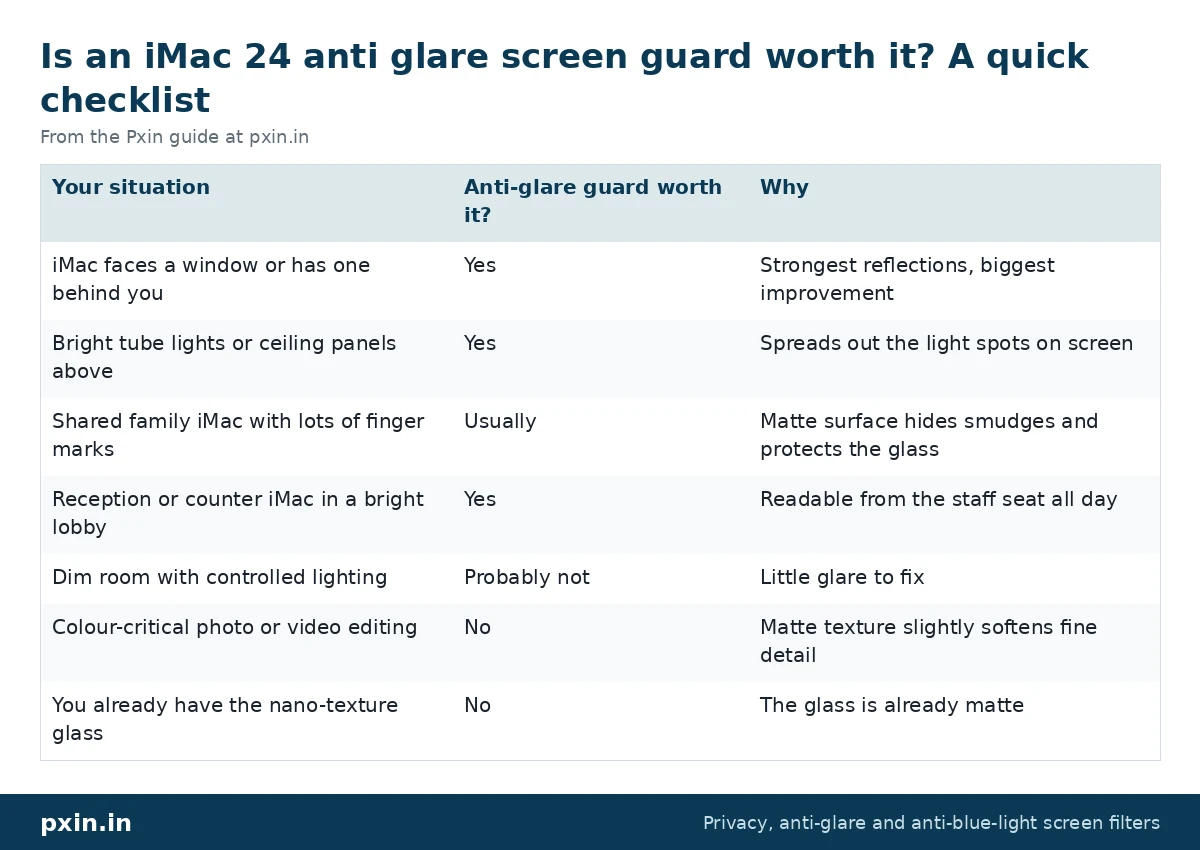
Is an iMac 24 anti glare screen guard worth it? A quick checklist
Use this table to decide in a minute:
| Your situation | Anti-glare guard worth it? | Why |
|---|---|---|
| iMac faces a window or has one behind you | Yes | Strongest reflections, biggest improvement |
| Bright tube lights or ceiling panels above | Yes | Spreads out the light spots on screen |
| Shared family iMac with lots of finger marks | Usually | Matte surface hides smudges and protects the glass |
| Reception or counter iMac in a bright lobby | Yes | Readable from the staff seat all day |
| Dim room with controlled lighting | Probably not | Little glare to fix |
| Colour-critical photo or video editing | No | Matte texture slightly softens fine detail |
| You already have the nano-texture glass | No | The glass is already matte |
Before buying anything, try the free fixes. Turn the iMac a little so the window is to the side instead of behind you, close a blind during the brightest hours, or move a lamp. If reflections are still there, a guard is the next step.
The honest trade-offs of a matte screen guard
Every matte surface scatters some of the light coming out of the screen as well as the light falling on it. On a display as sharp as the iMac's, you may notice:
- A slight grain or sparkle, most visible on plain white backgrounds.
- Text that looks a touch less crisp, especially very small fonts.
- Blacks that look slightly lighter in a bright room, because the haze adds a little light.
Most people stop noticing these within a few days, and many prefer the calmer look. But if you bought the iMac for its glossy punch, or you check colours for print, the guard may not suit you. That is the main reason we do not recommend an anti-glare guard for every iMac.
Anti-glare or privacy screen for an iMac?
These solve different problems. An anti-glare guard deals with light falling on the screen. A privacy screen deals with people looking at the screen from the side. A privacy filter uses micro-louvers, tiny slats inside the film, so the screen goes dark beyond roughly 30 degrees to each side. It usually also has a matte surface, so it cuts some glare too, but it makes the screen dimmer from the front.
For a home iMac, anti-glare is usually enough. For an iMac at a clinic, bank or office reception, where visitors stand nearby, our iMac 24 inch privacy screen handles both privacy and glare. We compare the two in depth in privacy screen vs anti-glare.
Size and fitting for the 24 inch iMac
All 24 inch iMac models, with M1, M3 or M4 chips, share the same 23.5 inch 16:9 display, so one guard size fits them all. The visible screen area works out to about 520 mm wide and 293 mm high. Do not order a filter made for a 24 inch monitor, because a monitor's picture area is a different size and the iMac's thin border leaves very little room for error.
Fit the guard in a dust-free room, with the iMac switched off and the glass wiped clean with a soft cloth. Our screen guard installation guide shows how adhesive tabs and slide-in mounts are fitted on monitors and all-in-one screens. For cleaning later, use a soft microfibre cloth and a screen-safe cleaner, never harsh solvents.
Frequently asked questions
Does the iMac 24 inch have an anti-glare screen?
The standard iMac 24 inch has a glossy screen. Apple offers a nano-texture glass option on the M4 iMac, which reduces reflections, but M1 and M3 models and standard M4 models are glossy.
Will an anti-glare screen guard make my iMac look blurry?
Not blurry, but slightly softer. The matte surface adds a fine grain that is most visible on white backgrounds, and most people get used to it within a few days.
Is an anti-glare guard better than nano-texture glass?
Nano-texture is built into the glass and cannot be added later. A guard gives a similar matte effect on an existing glossy iMac and can be removed if you change your mind.
Does an anti-glare screen guard reduce eye strain?
It can make the screen more comfortable by cutting reflections, so you squint and lean in less. It does not treat eye problems, and regular breaks and good lighting still matter.
Will a 24 inch monitor screen guard fit my iMac?
No. The iMac uses a 23.5 inch display with its own border, so a guard made for a 24 inch monitor will not line up. Order a guard made for the iMac 24 inch.
Find the right filter
If reflections are the problem, start with the iMac 24 anti glare screen guard. If you also need privacy at a counter or office desk, see all options in our iMac privacy screen category, and for other monitors browse our monitor anti-glare screen guard range.