Does a Privacy Screen Reduce Brightness? An Honest Answer
Last updated: October 2026
Quick answer: Yes, a privacy screen does reduce brightness. The micro-louvers that hide your screen from the side also block part of the light coming towards you, so the display looks dimmer from the front and much darker from an angle. Most people fix this by raising screen brightness a little and sitting centred in front of the screen.
We make privacy filters, so it would be easy to skip this question. But it is one of the first things people notice after fitting one, and knowing what to expect makes the difference between a filter you keep using and one that ends up in a drawer.
Why does a privacy screen make the display darker?
A privacy filter contains micro-louvers. Think of them as very thin vertical slats, like a window blind turned on its side, set inside a clear film. Light that travels straight out of the screen passes between the slats and reaches your eyes. Light that travels sideways hits the slats and is absorbed.
That is exactly what creates privacy: beyond roughly 30 degrees on either side, the screen looks dark to anyone sitting beside you. The side effect is that even from the front, the slats take up a small part of the surface and some light is lost. The film itself, and any matte coating on it, also absorbs and scatters a little light.
So the dimming is not a defect. It is part of how every louver-based privacy filter works.
How much darker will my screen look?
It depends on three things, and none of them can be reduced to one number that applies to every setup.
- Your screen's own brightness. A bright laptop or monitor has more headroom. You turn it up a notch and the picture looks normal again. A dim budget screen has less room to compensate.
- Where you sit. The filter is at its brightest when you look straight at the centre. If you sit off to one side, or tilt the laptop lid too far back, part of the screen falls into the darker viewing angle and looks dimmer still.
- The room. In a bright room or near a window, a slightly dimmer screen is more noticeable. In a normal office or at home in the evening, many people stop noticing after a day or two.
The easiest way to judge it for yourself is to hold the filter over half your screen with a white page open and compare the two halves.
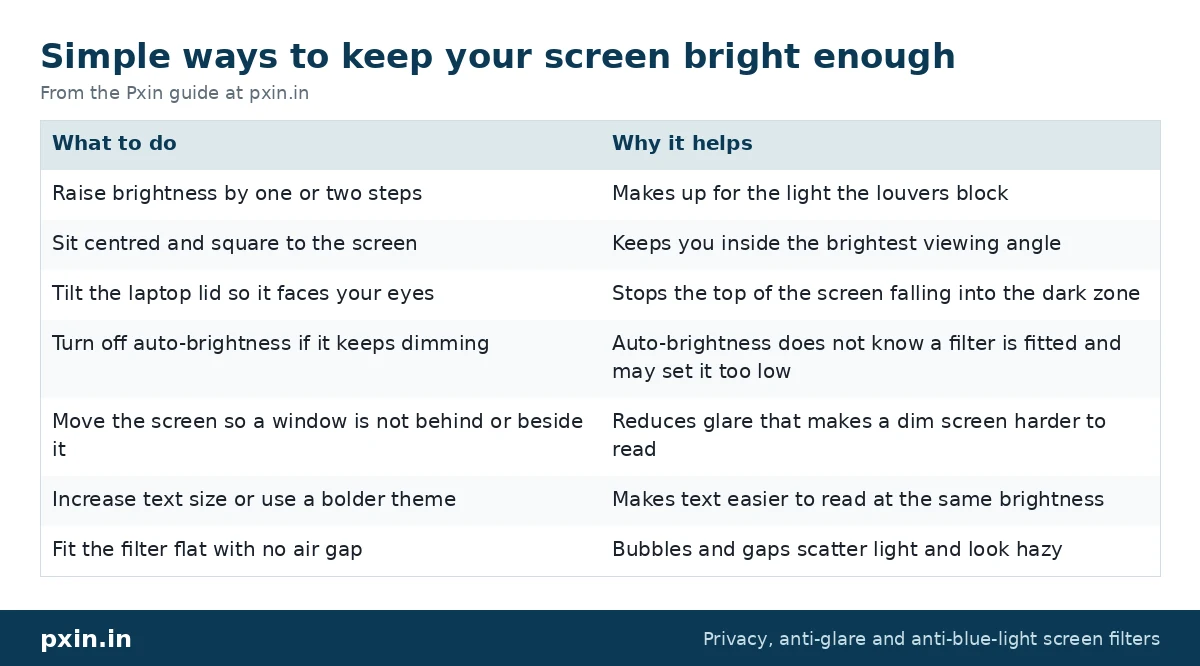
Simple ways to keep your screen bright enough
Here is a checklist of settings and habits that help.
| What to do | Why it helps |
|---|---|
| Raise brightness by one or two steps | Makes up for the light the louvers block |
| Sit centred and square to the screen | Keeps you inside the brightest viewing angle |
| Tilt the laptop lid so it faces your eyes | Stops the top of the screen falling into the dark zone |
| Turn off auto-brightness if it keeps dimming | Auto-brightness does not know a filter is fitted and may set it too low |
| Move the screen so a window is not behind or beside it | Reduces glare that makes a dim screen harder to read |
| Increase text size or use a bolder theme | Makes text easier to read at the same brightness |
| Fit the filter flat with no air gap | Bubbles and gaps scatter light and look hazy |
Our laptop privacy screen installation guide shows how to fit slide-in and adhesive filters so they sit flat.
Does higher brightness drain the battery faster?
Yes, a little. The screen is one of the bigger power users on a laptop, so running it brighter for longer uses more battery. In practice, the change from raising brightness a step or two is modest. If you are on a long trip, you can lower brightness again when no one is around, or remove a magnetic filter when you do not need privacy.
On a monitor plugged into the wall, this does not matter at all.
Is a dimmer screen bad for my eyes?
A screen that is a bit dimmer is not harmful in itself. What causes discomfort is usually a mismatch, for example a dim screen in a very bright room, so you squint, or glare from a window across the display.
Eye strain is common among people who work on screens. In our 2025 survey of Pxin customers (a WhatsApp survey of 224 customers, with a follow-up of 171; a customer survey, not a national sample), 42% said they get eye strain often or very often, and 59% said they deal with frequent screen glare. Those numbers are why we suggest pairing any filter with sensible habits: adjust brightness to match the room, keep the screen at a comfortable distance, and take regular breaks to look at something far away.
A privacy filter with a matte surface can help with the glare part, because it scatters reflections. But it is not an eye treatment, and we do not present it as one.
Does the same thing happen on monitors?
Yes. A monitor privacy filter works the same way, with the same trade-off. Monitors are usually brighter than laptops and sit further away, so the drop is often easier to make up. If you use a large or ultrawide monitor, sit centred, because the far edges are at a wider angle from your eyes and will look darker. Our monitor privacy screen guard range covers common office sizes.
If you only need less glare and not privacy, a matte anti-glare guard dims the screen far less. Our post on privacy screen vs anti-glare explains how to choose between them.
The honest trade-off
Here is the limitation in plain words: a privacy filter will always cost you some brightness, and the person sitting directly behind you can still see your screen. What you get in return is a screen that people beside you cannot read. In the follow-up to our customer survey, 96% said the screen felt more private with a filter and 90% felt more confident working in public. For most people working in offices, trains or cafes, a notch more brightness is a fair price for that.
If you do colour-critical work such as photo editing, the filter also changes how the screen looks, so it is reasonable to remove it while you edit.
Frequently asked questions
Does a privacy screen reduce brightness?
Yes. The micro-louvers that block side views also block part of the light coming straight at you, so the screen looks dimmer. Raising brightness a step or two usually makes up for it.
Do privacy screens make text blurry?
Text can look a touch softer, especially with a matte finish, but it should not look blurry. If it does, check that the filter sits flat with no air gap or bubbles and that it is the right size for your screen.
Why does my screen look darker at the top with a privacy filter?
Your eyes are probably looking at the top of the screen from an angle. Tilt the lid or adjust your chair so you face the screen squarely, and the top will brighten.
Can I use a privacy screen at night?
Yes. In a dark room you usually need less brightness anyway, so the dimming is less noticeable. Keep some room lighting on to avoid a strong contrast between the screen and the surroundings.
Will a privacy filter work with dark mode?
Yes, but dark mode plus a privacy filter can make text harder to read in a bright room. If that happens, use a light theme or raise brightness and text size. Our post on whether anti-blue-light helps your eyes covers other comfort settings.
Find the right filter
If you are ready for the small brightness trade-off in return for real side-view privacy, browse our laptop privacy screen guard range and choose the size and shape that match your screen. A filter that fits correctly and sits flat always looks brighter than one that does not.