How to Choose a Monitor Privacy Filter for Office Work
Last updated: October 2026
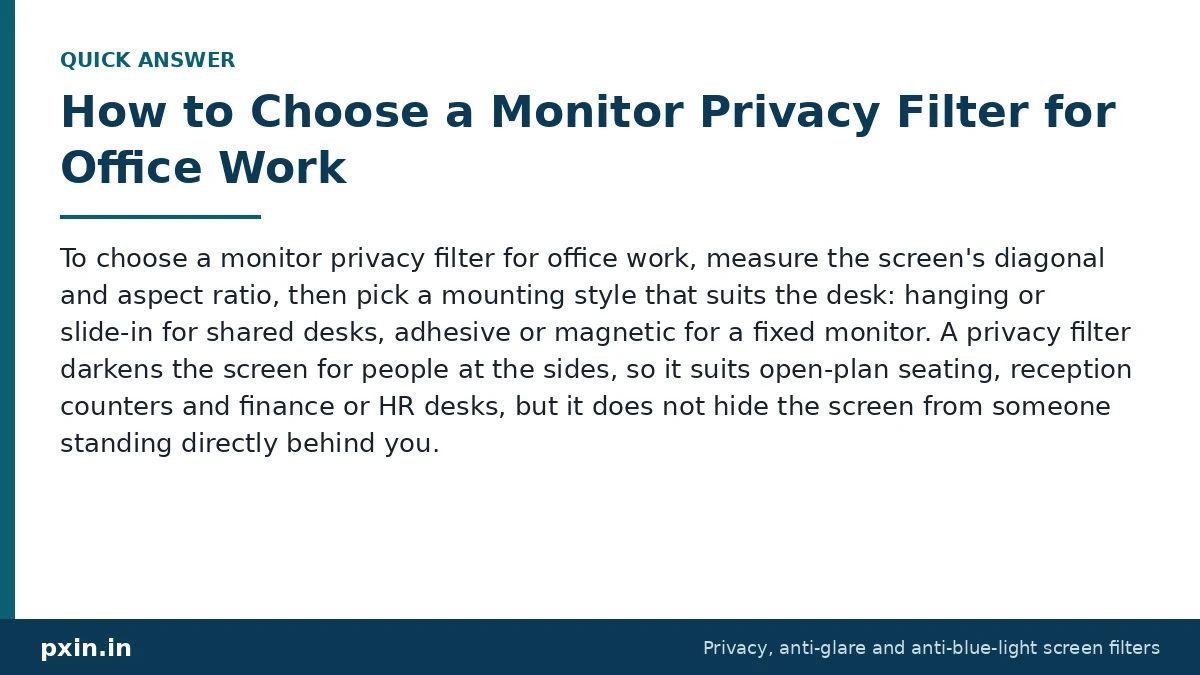
Quick answer: To choose a monitor privacy filter for office work, measure the screen's diagonal and aspect ratio, then pick a mounting style that suits the desk: hanging or slide-in for shared desks, adhesive or magnetic for a fixed monitor. A privacy filter darkens the screen for people at the sides, so it suits open-plan seating, reception counters and finance or HR desks, but it does not hide the screen from someone standing directly behind you.
Customers often ask us what to check before ordering filters for an office, especially when several people sit along one long bench. The steps below are the same ones we walk people through on calls, in the order that saves the most trouble.
What a monitor privacy filter does at an office desk
A privacy filter is a thin sheet that sits over the screen and contains micro-louvers. Think of them as very fine vertical blinds built into the film. When you sit straight in front of the monitor, light passes through the gaps and you see the screen normally. When a colleague looks from an angle, the louvers block the light, and beyond roughly 30 degrees to each side the screen looks dark.
That matters in offices because most screen exposure is casual, not criminal. A visitor waiting at reception, a colleague walking to the pantry, a vendor sitting at the next desk. In a 2015 study by the Ponemon Institute, testers in US offices tried to collect sensitive information by looking around, and 88% of attempts succeeded, 70% went unnoticed, and 53% of the exposed information came from screens. You can read a summary of the visual hacking study on Help Net Security. A filter cannot stop every kind of exposure, but it removes the easiest one: a glance from the side.
Which office desks need a privacy filter first
You do not need a filter on every screen in the building. Start where personal or confidential data is on screen for most of the day and where people pass close behind or beside the desk:
- Reception and front desks that show visitor names, phone numbers or ID details
- HR and payroll teams working with salary, bank and address data
- Finance and accounts desks
- Customer support and BPO seating where agents open customer records
- Clinic and pharmacy counters with patient information
- Hot desks and coworking seats near walkways
India's DPDP Act 2023, in section 8(5), asks organisations that handle personal data to take reasonable security safeguards to prevent personal data breaches. The Act does not mention screen filters, but a filter on screens that show personal data can be one practical safeguard alongside access controls and a clear-screen policy. This is not legal advice.
How to measure a monitor for a privacy filter
Filters are sold by diagonal size and aspect ratio, so you need both. The model number on the back label usually tells you the size, and the monitor's display settings or spec sheet tells you the resolution. A resolution of 1920 x 1080 or 2560 x 1440 means 16:9. A resolution of 1920 x 1200 means 16:10. Ultrawide models at 2560 x 1080 or 3440 x 1440 are close to 21:9.
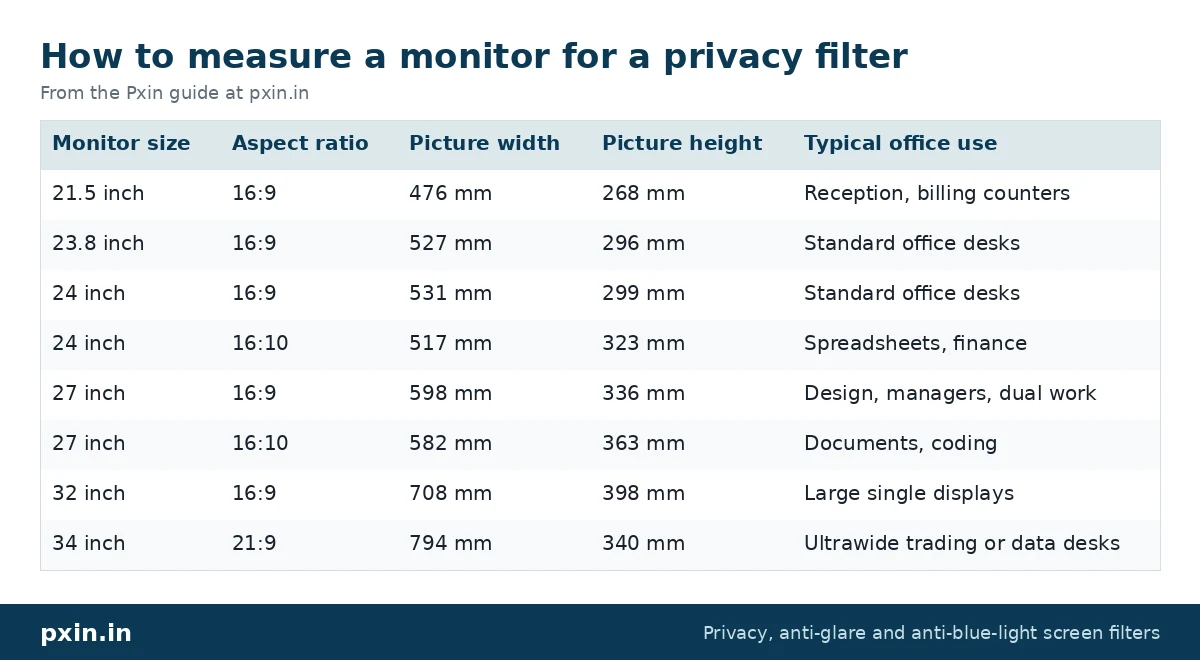
If you want to check by hand, measure the visible picture area, also called the active area, from one corner to the opposite corner. Do not include the plastic bezel. The table below shows the width and height of the picture area for common office sizes. We calculated these from the diagonal and aspect ratio, so expect your monitor to be within a few millimetres.
| Monitor size | Aspect ratio | Picture width | Picture height | Typical office use |
|---|---|---|---|---|
| 21.5 inch | 16:9 | 476 mm | 268 mm | Reception, billing counters |
| 23.8 inch | 16:9 | 527 mm | 296 mm | Standard office desks |
| 24 inch | 16:9 | 531 mm | 299 mm | Standard office desks |
| 24 inch | 16:10 | 517 mm | 323 mm | Spreadsheets, finance |
| 27 inch | 16:9 | 598 mm | 336 mm | Design, managers, dual work |
| 27 inch | 16:10 | 582 mm | 363 mm | Documents, coding |
| 32 inch | 16:9 | 708 mm | 398 mm | Large single displays |
| 34 inch | 21:9 | 794 mm | 340 mm | Ultrawide trading or data desks |
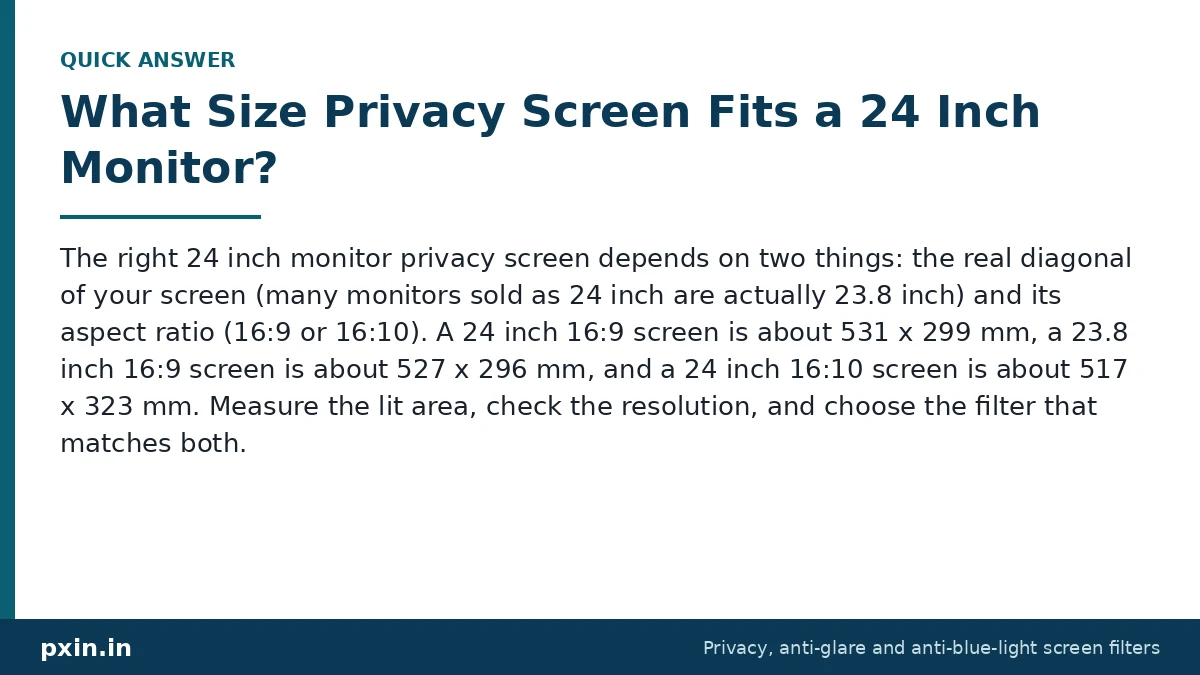
Note that 23.8 inch and 24 inch monitors are often sold under the same "24 inch" label, and a 16:10 screen is taller and narrower than a 16:9 screen of the same diagonal. If your office runs 24 inch screens, our post on 24 inch monitor privacy screen sizes goes into that choice in more detail.
Hanging, adhesive or magnetic: choosing a mount for office monitors
The filter itself works the same way whatever the mount. What changes is how easily it goes on and off, and how neat it looks.
Hanging or slide-in mounts use small clips or hasps stuck to the bezel, and the filter slides into them. They suit shared and hot desks because the filter can be lifted out when someone needs to show the screen to a colleague. The hasps leave a small gap above the screen, which is normal.
Adhesive tabs hold the filter flat against the bezel. This looks the cleanest and suits a monitor that stays with one person, such as a payroll desk. Removing it is possible, but it is not meant to come off every day.
Magnetic strips go on the bezel and the filter snaps into place. This works well on slim, flat bezels and makes daily removal easy. Our magnetic monitor privacy screen range covers common sizes from 21 to 32 inch.
Curved and ultrawide monitors need a filter made for that shape, because a flat sheet will lift at the edges. Step-by-step mounting instructions for hasps and adhesive tabs are on our privacy filter installation guide.
Brightness, comfort and the honest limits
A privacy filter blocks some light, so the screen looks a little dimmer from the front too. Most people raise the monitor brightness slightly in the first few days and then stop noticing. Many filters also have a matte anti-glare surface that cuts reflections from tube lights and windows, which helps in brightly lit offices.
There are limits you should plan around. A person standing directly behind the user can still read the screen, because they are looking from the same angle. The filter also narrows the comfortable viewing zone for the user, so it is less suited to screens that two people need to read together, such as a sales desk where the customer sits beside the agent. For those seats, a hanging filter that can be lifted off is the practical choice.
Rolling out monitor privacy filters across a team
When an office orders more than a handful of filters, small mistakes multiply. A simple process helps:
- List every monitor by desk, brand, model number and resolution.
- Group them by size and aspect ratio using the table above.
- Decide the mount per group: removable for shared desks, fixed for personal desks.
- Fit one sample per group and have the user work with it for a day.
- Order the rest, and keep one or two spares for new joiners.
If your company is planning filters for many screens, our bulk privacy screen buying guide for companies covers sizes, invoicing and planning. For custom sizes or a large office, you can also contact Pxin.
Watch: We Tested This Monitor Privacy Screen | Pxin.in | Anti-Glare | Anti-Blue Light | Privacy Guard
https://www.youtube.com/watch?v=4eb1iXIrlN4
Developer: paste this YouTube link on its own line in WordPress so it shows as an embedded video. Video by WhySoTechie.
Frequently asked questions
Does a monitor privacy filter work from behind?
No. A privacy filter darkens the screen for people at the sides, beyond roughly 30 degrees. Someone standing directly behind the user sees the screen almost as clearly as the user does, so seating layout still matters.
Will a privacy filter fit a 23.8 inch monitor marked as 24 inch?
Usually you need a filter made for 23.8 inch, because the picture area is a few millimetres smaller than a true 24 inch screen. Check the exact diagonal on the spec sheet before ordering.
Can I use one privacy filter on a dual monitor setup?
No, each monitor needs its own filter sized to its own screen. If one screen is only used for email or reference, some offices fit a filter on the main screen only.
Is a monitor privacy filter bad for the eyes?
A good filter should not cause eye strain if the brightness is set properly. Because it blocks some light, raise the brightness a little instead of leaning closer, and keep the usual habits like regular breaks.
Can the filter be removed for presentations?
Yes, if you choose a hanging, slide-in or magnetic mount. Adhesive mounting is better for screens that stay private all the time.
Find the right filter
Start with your monitor's size and aspect ratio, then pick the mount that suits the desk. You can browse every size, including 16:9, 16:10, curved and ultrawide models, in our monitor privacy filter for office category, or go straight to the popular 24 inch 16:9 monitor privacy screen.